Windsor.ai vs Coupler.io: What Each One Actually Bills
Every data pipeline vendor prints a number on its pricing page, and every one of them is counting something different. One charges for source types. One charges for accounts. One charges separately for sources, destinations, seats and accounts. The number you compare is not the number you pay.
Six pricing pages, six different meters
The setup is familiar if you report on paid media. Google Ads, Meta Ads and GA4 need to land somewhere a client can look at without logging into three dashboards. You pick a connector tool, plug in the accounts, and for about six weeks it is the cheapest useful software you own.
Then the fourth client signs. Then somebody asks for the numbers before the standup instead of after lunch. Then a report stops matching the ad platform, because the import was truncated at five thousand rows and the notice only lands after the run that already went to the client.
The trouble is that none of that is visible when you are comparing headline prices, because the six tools in this article are not measuring the same thing:
- Windsor.ai counts data source types. Three sources spread across seventy-five ad accounts is one price.
- Coupler.io counts accounts. Three Google Ads accounts and two Meta accounts is five, regardless of how many source types that represents.
- Supermetrics counts sources, destinations, users and ad accounts as four separate line items, each with its own add-on price.
- Porter Metrics counts accounts only, on a sliding scale where the per-account price drops as you add more.
- Coefficient is flat at the bottom and per-seat above it, inside a spreadsheet.
- Funnel is flat, with a floor high enough that the meter stops mattering.
Two agencies with identical work can therefore get wildly different quotes, and both are honest. This Windsor.ai vs Coupler.io comparison exists because I could not find a single article that ran the same workload through all six meters. The top results are the vendors reviewing each other.
How I judged Windsor.ai vs Coupler.io and four rivals
I have not run a full reporting cycle inside all six products, and I am not going to pretend otherwise. What I did was read every public pricing page, plan-limit document, help-centre billing article and terms-of-service page for all six, then price three identical workloads against them. Every figure below is checkable in about fifteen minutes per vendor.
Five things decided the ranking. None of them are features, because features change and billing logic does not.
1. What the meter counts. Sources, accounts, seats, destinations, rows, or some combination. This single choice determines whether a tool is cheap or ruinous for your particular shape of work, and it is the thing feature grids leave out.
2. Where the refresh cliff sits. Daily is fine until somebody needs a morning number. I looked for the exact plan where hourly starts, and what the step costs.
3. How much headroom you have before the next tier. A plan that fits your work exactly is a plan you will outgrow on the day you sign a new client. I noted which limits you are sitting on rather than under.
4. Where the data is allowed to land. A spreadsheet-only tool and a warehouse-capable tool are different products at the same price, and the difference only shows up when you try to move.
5. What happens when you leave. Refund language, cancellation mechanics and downgrade credits. This is the least-read page on every vendor site and the one that costs real money.
The comparison table
Prices are monthly billing in USD. Annual billing is cheaper at every vendor that publishes it.
| Tool | Meter | Entry price | Where hourly refresh starts | Row cap at entry tier | Destinations at entry | Refund language |
|---|---|---|---|---|---|---|
| Windsor.ai | Data source types | $23 (Basic, 3 sources, 75 accounts, unlimited users) | Included on every plan for BI destinations; Standard, $118, for warehouse and Sheets syncs | Not published | 5 destination tasks | All sales final, no refunds |
| Coupler.io | Source accounts | $32 (Starter, 3 accounts, 1 user) | Pro, $259 | 5,000 rows per run | 1 destination | Non-refundable mid-term; prorated charge on downgrade |
| Supermetrics | Sources + destinations + users + ad accounts, separately | $49 (Starter, 3 sources, 1 destination, 1 user) | Not published per plan | Not published | 1, extras $62 | Not published on pricing page |
| Porter Metrics | Accounts, sliding scale | $15 (1 account) | Not published | Not published | Unlimited, all tiers | Not published on pricing page |
| Coefficient | Flat, then per seat | $49 (Starter, 1 user, 3 sources) | Pro, $99 per user | 5,000 rows per import | Google Sheets and Excel | Not published on pricing page |
| Funnel | Connector catalogue tier | $300, annual billing | Not published | Not published | 13 destinations | Not published on pricing page |
Pricing changes over time — check the official page before you buy.
Three workloads, priced line by line
Here is where the meters diverge. I built three workloads that map onto real reporting jobs and ran each one through the six published price lists.
Workload one: one business, three accounts
Google Ads, Meta Ads and GA4. One account each. One person builds the reports. One destination. Daily refresh is fine.
| Tool | Monthly cost | Notes |
|---|---|---|
| Windsor.ai Basic | $23 | Three sources included, seventy-five accounts of headroom |
| Coupler.io Starter | $32 | Three accounts is the cap exactly, 5,000 rows per run |
| Porter Metrics | $39.99 | Three accounts on the sliding scale |
| Supermetrics Starter | $49 | Three sources, one destination, one user, all included |
| Coefficient Starter | $49 | Three sources, daily refresh, Sheets or Excel |
| Funnel Starter | $300 | Annual billing only |
At this size the spread is $23 to $300 and the work is identical. Windsor.ai wins on price, but the more useful observation is the headroom column: Windsor gives you seventy-two spare accounts and Coupler.io gives you zero.
Workload two: five clients, fifteen accounts
Same three source types, but five clients means fifteen ad accounts. Three people need logins. Three destinations. Daily is still acceptable.
| Tool | Monthly cost | How it gets there |
|---|---|---|
| Windsor.ai Basic | $23 | Still three source types; fifteen accounts is inside the seventy-five cap; users are unlimited |
| Porter Metrics | $100 | Thirteen to twenty accounts is a flat tier; users and destinations unlimited |
| Coupler.io Active | $132 | Starter caps at three accounts, so fifteen forces Active; three destinations is the cap exactly |
| Coefficient Pro | $297 | Starter is single-user, so three people means $99 each |
| Funnel Starter | $300 | Unchanged |
| Supermetrics Starter + add-ons | $325 | $49 base, plus two extra users at $37, plus two extra destinations at $62, plus six extra ad accounts at $13 |
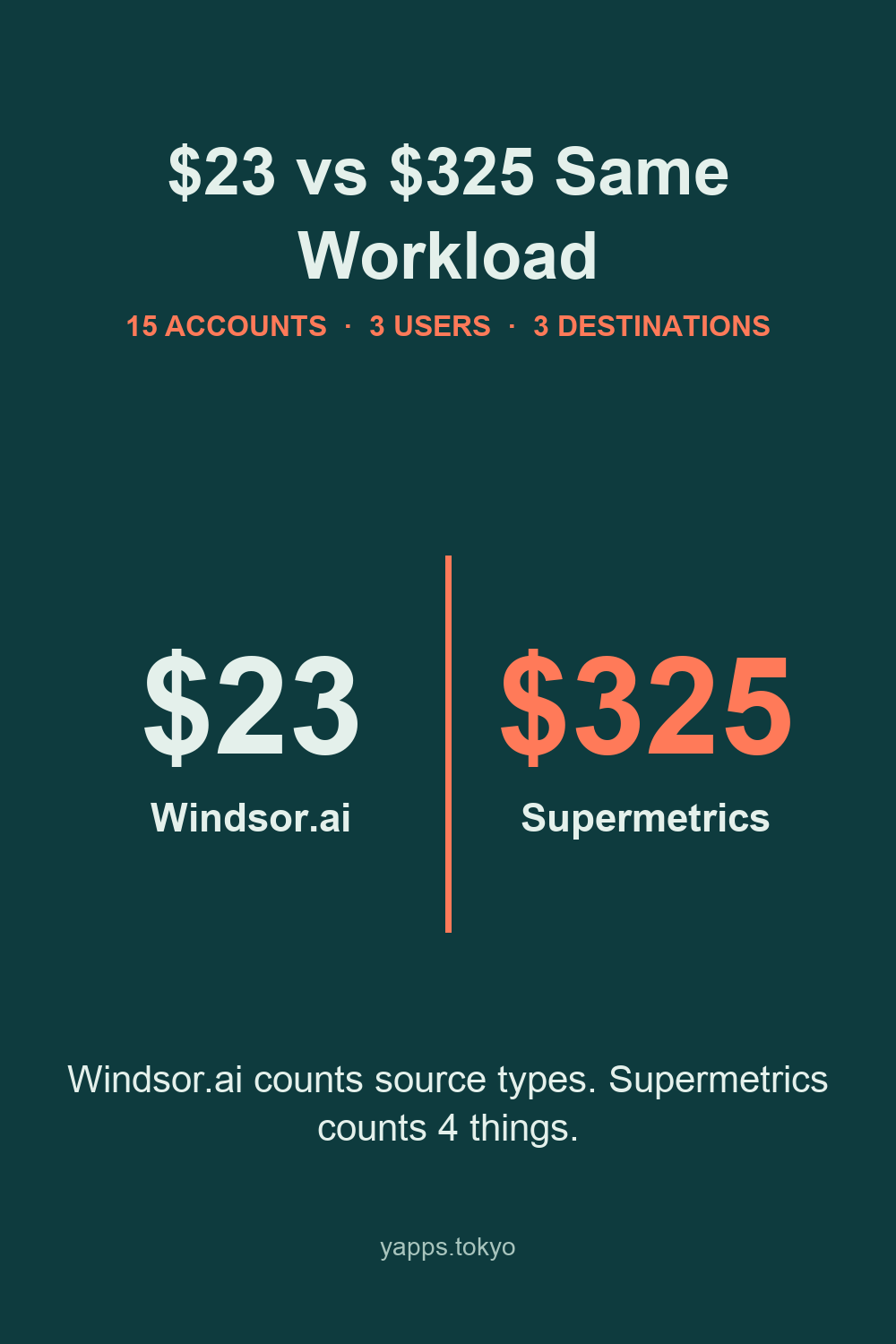
This is the table that made me want to write the article. The same fifteen accounts cost $23 at one vendor and $325 at another, a fourteenfold spread, and neither is being dishonest — they are counting different objects. Windsor.ai’s account allowance is generous because accounts are not what it sells. Supermetrics lands at the top precisely because accounts are one of the things it sells, on top of sources, seats and destinations.
The fragility in Windsor’s $23 is worth naming. It holds only while you stay at three source types. Add TikTok Ads as a fourth and there is nothing between Basic and Standard, so the bill goes from $23 to $118 in one step. That gap is the sharpest edge on Windsor’s price list.
Workload three: the same fifteen accounts, hourly
Now somebody wants numbers refreshed through the day.
| Tool | Monthly cost |
|---|---|
| Windsor.ai Basic, BI destinations only | $23 |
| Windsor.ai Standard, hourly warehouse or Sheets sync | $118 |
| Coupler.io Pro | $259 |
| Coefficient Pro, three seats | $297 |
| Supermetrics / Porter Metrics / Funnel | Not published per plan |
Read the Windsor rows carefully, because the answer depends on where your data lands. Windsor lists hourly and daily scheduled sync for BI destinations among the features every plan includes, so if your reports live in Looker Studio or Power BI, Basic at $23 already refreshes hourly. What Standard at $118 buys is hourly destination tasks — scheduled pushes into a warehouse, Azure SQL or a Sheet — plus the jump from three source types to seven. On Coupler.io hourly arrives at $259 whatever the destination, bringing unlimited destinations and a fifty-account ceiling with it.
Three of the six do not tie a refresh cadence to a named plan at all. That is not a trick, but it does mean you cannot compare them here without asking sales, and I am not going to guess on their behalf.
Product by product
Windsor.ai
The pitch is a flat fee with no per-user, per-destination or per-account surcharges, and the pricing page holds up to that. Every paid plan says unlimited users. Standard and above say unlimited destination tasks, and hourly sync to BI destinations sits in the list of features every plan includes. The account allowances — seventy-five on Basic and Standard, two hundred on Plus — are large enough that most agencies under twenty clients will run out of source types first.
Definitions are published, which matters more than it sounds. The page defines a data source as the platform data comes from, an account as an individual ad, analytics or CRM account inside that platform, and a destination task as one scheduled sync to a warehouse, file store or Sheet. Three clearly written definitions is three fewer arguments with billing later.
The trial runs thirty days and drops to a permanently free tier of one source, one account and one user rather than locking you out. The page does not state whether a card is needed to start it, which is the one thing I wanted it to say.
The small flaw: the refund policy is the harshest of the six. The terms state that all sales are final and that Windsor does not issue refunds, including for prepaid monthly fees, and that cancelling an annual plan stops the renewal without refunding the remaining months. Combined with the $23-to-$118 gap, that means you want to be certain about your source count before you commit to a year.
Suits you if your reporting is a few platforms across many accounts, and you want the seat count to stop being a budget conversation.
Windsor.ai’s pricing and trial
Coupler.io
Coupler.io is the more general tool of the two. It is not marketing-only: the connector catalogue reaches into finance, project management and CRM systems, and the destination list covers Google Sheets, Excel, Looker Studio, Power BI, Tableau, BigQuery, Snowflake, Redshift, PostgreSQL and Supabase. If your pipeline ends in a warehouse rather than a dashboard, that breadth is the reason to look here.
The limits are documented properly, which I appreciated. The help centre publishes account caps of one, three, fifteen and fifty across Free, Starter, Active and Pro; row caps of one hundred, five thousand and then unlimited; and the refresh ladder of manual, daily, daily, hourly. That is more transparency than four of the six vendors here offer.
Exit terms are also the gentlest of the pair. You can cancel from account settings, you keep access until the term ends, and a downgrade is settled by applying a prorated charge to your next term rather than being forfeited.
The small flaw: Starter is a trap at exactly three accounts and five thousand rows per run. Three accounts means three ad or analytics accounts, not three platforms, so a second client can exhaust it, and the row ceiling truncates rather than erroring. If you are a working agency, Starter is a trial in disguise and Active at $132 is the honest starting price.
Suits you if you pull from more than just ad platforms, or your data needs to land in a warehouse rather than a dashboard.
Coupler.io’s pricing and free plan
Supermetrics
The largest name in the category, and the one whose bill is hardest to predict. Starter is $49 with three sources, one destination, one user and three accounts per data source. Growth is $199 with seven sources, one destination and two users. Every dimension is separately expandable, and the add-on prices are published: extra sources at $37, extra users at $37 on Starter and $124 on Growth and Pro, extra destinations at $62 on Starter and $187 above it, and extra ad accounts at $13.
Two numbers deserve a stare. The $187 destination add-on is the obvious one: wanting your data in both Looker Studio and BigQuery is an ordinary request, and on Growth it costs more than an entire Coupler.io Active subscription. The quieter one is the account meter, because the allowance is three accounts per data source. Five clients on Google Ads is already two accounts over, on every source you connect, and $13 apiece adds up before anyone notices.
The small flaw is structural rather than a bug: with four independent meters, the quote you build in month one rarely resembles the invoice in month six.
Suits you if you need a specific connector nobody else has, and you can absorb an unpredictable bill to get it.
Porter Metrics
The most unusual pricing model of the six, and quietly the most agency-friendly. There are no plans in the normal sense. You pick how many accounts to connect and the price adjusts: one account $15, two $30, three $39.99, and a flat $100 once you are in the thirteen-to-twenty band. Per-account cost falls as you scale. Users, reports and destinations — Looker Studio, Sheets, Power BI — are included at no extra cost.
For a reporting shop whose growth is measured in client accounts rather than new platforms, that curve is friendlier than anything else here.
The small flaw: the pricing documentation does not state a refresh cadence, and refresh cadence is the thing clients complain about. You will have to ask before you can compare it against Windsor’s $118 hourly tier.
Suits you if you are an agency adding clients on the same handful of platforms and you want the price to scale sublinearly.
Coefficient
Coefficient is a spreadsheet-first tool and does not pretend otherwise. Its destinations are Google Sheets and Excel, through an add-in on each. Within that boundary it is good: Starter at $49 gives one user three standard sources with daily refresh, and Pro at $99 per user raises that to six sources, adds hourly refresh and removes the five-thousand-row import cap.
The small flaw is the one it wears openly. A spreadsheet-only destination means the day somebody asks for a warehouse table or a Power BI feed, you are not upgrading, you are migrating. Excel support also trails Sheets: the FAQ says imports work on every connector while some features are still on the way. And the per-seat model means the third analyst costs as much as the first.
Suits you if your reporting genuinely lives in a spreadsheet, Sheets or Excel, and you want one or two people driving it.
Funnel
Funnel starts at $300 a month billed annually for the Starter tier, with a hundred and seventeen connectors and thirteen export destinations, and $600 for Business, which opens up five hundred and seventy-nine connectors, forty-six destinations and unlimited users and workspaces.
There is no meaningful meter here and that is the product. You are buying the end of pricing anxiety, plus a data hub that does modelling the cheaper tools do not attempt.
The small flaw: no trial length is published, billing is annual, and the floor is more than ten times Windsor’s entry price. This is a tool you buy after a procurement conversation, not after a weekend of testing.
Suits you if you are past the point where a $118 decision is worth a meeting.
Why Improvado is not in the table
Improvado belongs in this category and shows up constantly in the search results for these queries, but it publishes no prices at all. I cannot run it through three workloads without inventing numbers, so I left it out rather than guess.
Picking by what you run
You run one business and report on a few platforms. Start with Windsor.ai Basic at $23. Three source types covers Google Ads, Meta and GA4, seat count is not a cost, and the trial runs thirty days. If your reporting reaches beyond advertising into billing or project data, Coupler.io Starter at $32 covers more ground for nine dollars more — just watch the three-account ceiling, because it is the exact number you have.
You run a small agency on the same few platforms. Windsor.ai Basic holds surprisingly far, because accounts are not what it meters. Porter Metrics at $100 for up to twenty accounts is the strongest alternative if your growth is measured in clients rather than platforms. Skip Supermetrics unless a connector forces your hand: $325 for this workload is more than triple Porter and more than double Coupler.
You run a data function, not a reporting function. Coupler.io Active at $132, then Pro at $259 when somebody needs hourly. The warehouse destinations, the documented limits and the prorated downgrade settlement are the reasons, and none of them are marketing claims — they are on the pricing page, the help centre and the terms page respectively. If you end up needing modelling on top of transport, Funnel at $300 is the honest next step rather than stacking add-ons.
One cross-cutting note. Read the refund clause before the feature list. Windsor.ai’s terms make every sale final, Coupler.io’s make mid-term cancellations non-refundable, and the other four say nothing on their pricing pages. That is the whole argument for spending the trial properly.
Frequently asked questions
Is Windsor.ai cheaper than Coupler.io? It depends on what you are counting. Windsor.ai meters data source types, so three sources spread across fifteen ad accounts sit on the $23 Basic plan. Coupler.io meters the accounts themselves and caps Starter at three, so the same fifteen accounts land on the $132 Active plan. Flip it around and connect seven different source types across three accounts, and Windsor.ai needs the $118 Standard plan while Coupler.io stays at $32. Eight source types would push Windsor.ai to Plus at $299.
Which of these tools truncates my data? Coupler.io caps Starter at 5,000 rows per run and Free at 100 rows per run, and imports above that are truncated rather than failed: the run finishes, Coupler.io emails you and pauses that flow’s automatic refresh, but the short dataset has already landed. Coefficient also caps imports at 5,000 rows on Free and Starter. Windsor.ai, Supermetrics, Porter Metrics and Funnel do not publish a per-run row ceiling on their pricing pages.
Can I get a refund if a marketing data pipeline does not work out? Windsor.ai’s terms state that all sales are final and that it does not issue refunds, including for prepaid monthly fees. Coupler.io’s terms also make paid amounts non-refundable if you cancel mid-term, but you keep access until the term ends, and a downgrade is settled as a prorated charge against the next term. Test on the trial, not on the invoice.
What does hourly data refresh cost? On Coupler.io, hourly refresh starts on the Pro plan at $259 a month. On Windsor.ai, hourly sync to BI destinations is listed under the features every plan includes, so Basic at $23 covers it; hourly sync to a warehouse or a Sheet starts on Standard at $118. Coefficient includes hourly refresh on Pro at $99 per user per month. Supermetrics, Porter Metrics and Funnel do not tie a refresh cadence to a named plan on their public pricing pages.
Do I need a credit card to try these tools? Windsor.ai offers a 30-day free trial, which then drops to a permanently free tier of one source, one account and one user. Its pricing page does not say whether a card is required. Coupler.io gives seven days of free access and keeps a free plan afterwards. Coefficient advertises a 30-day trial of its Pro plan. Supermetrics advertises 14 days with no card. Funnel does not publish a trial length.
Test the meter, not the feature list
The thing to check during a trial is not whether the connectors work. They all work. It is whether the meter matches the shape of your reporting — count your source types and your accounts separately, then see which number the vendor is charging for.
Windsor.ai gives you thirty days, then drops to a free tier instead of locking you out. Coupler.io gives you seven days plus a free plan you can keep. Both are enough time to connect your real accounts and watch what the plan usage counter does, which is the only test that settles this.
Sources used for every figure above: Windsor.ai pricing, Windsor.ai terms, Coupler.io pricing, Coupler.io features and limits, Coupler.io terms, Supermetrics pricing, Porter Metrics pricing model, Coefficient pricing and Funnel pricing.